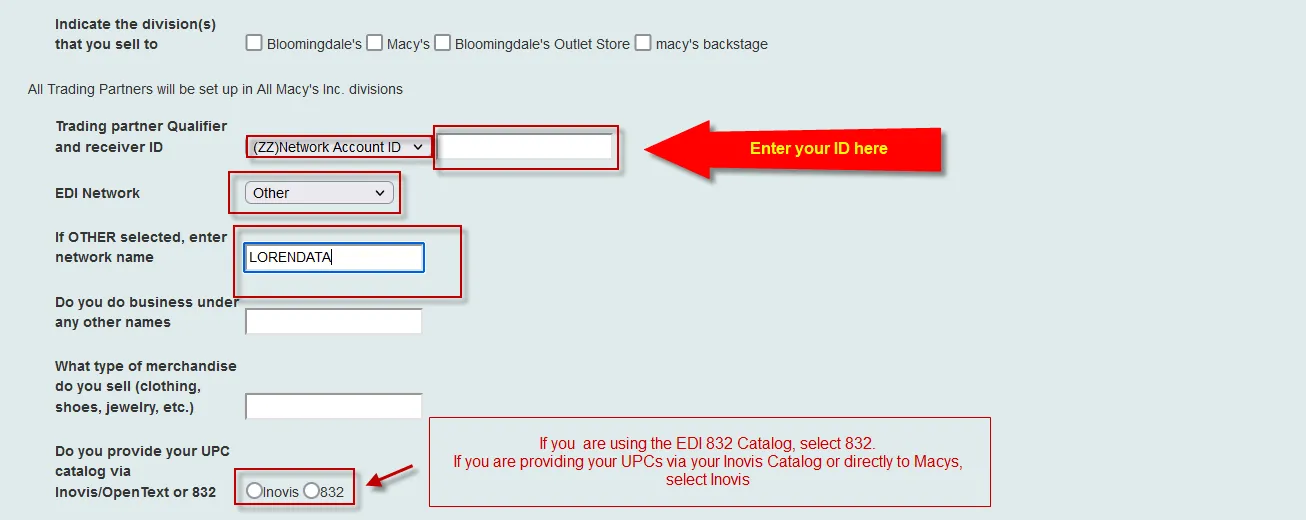
Vendor Information
Please see below on how to fill out the Macysnet EDI Startup Form.
If you have any questions or need help, please give us a call at 201-731-1800 option 2.
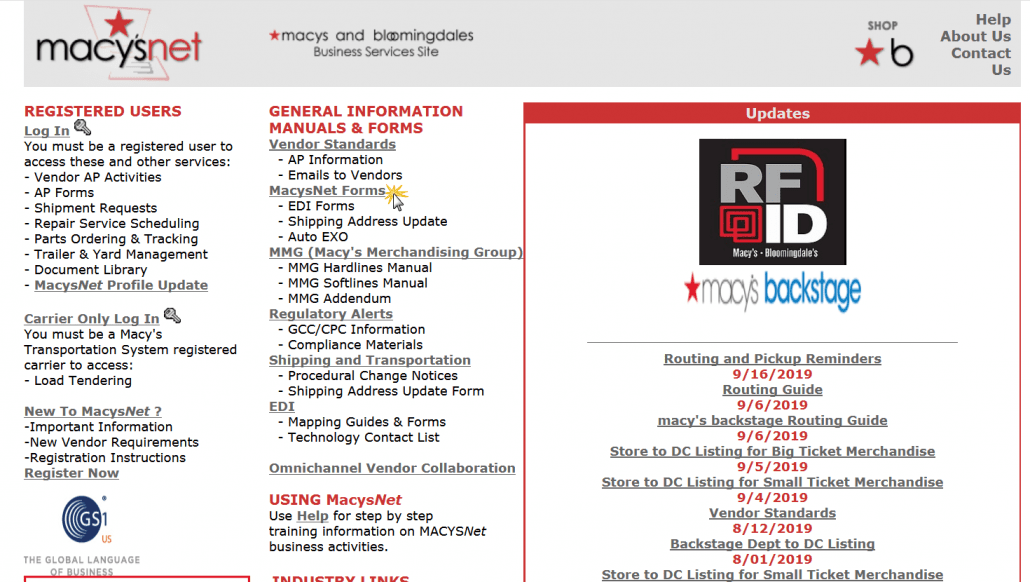
Step 1: Go to www.macysnet.com
Step 2: Click on MacysNet Forms
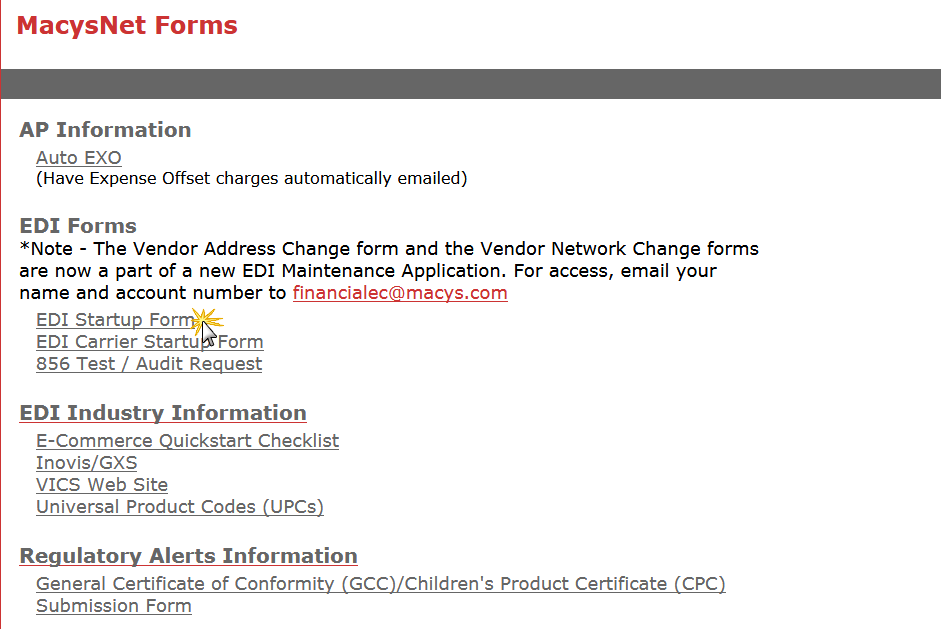
Step 3: Click on EDI Startup Form
Step 4: Fill out the Following Sections with Your Company Information
Step 5: Fill out the EDI Contact Information Section
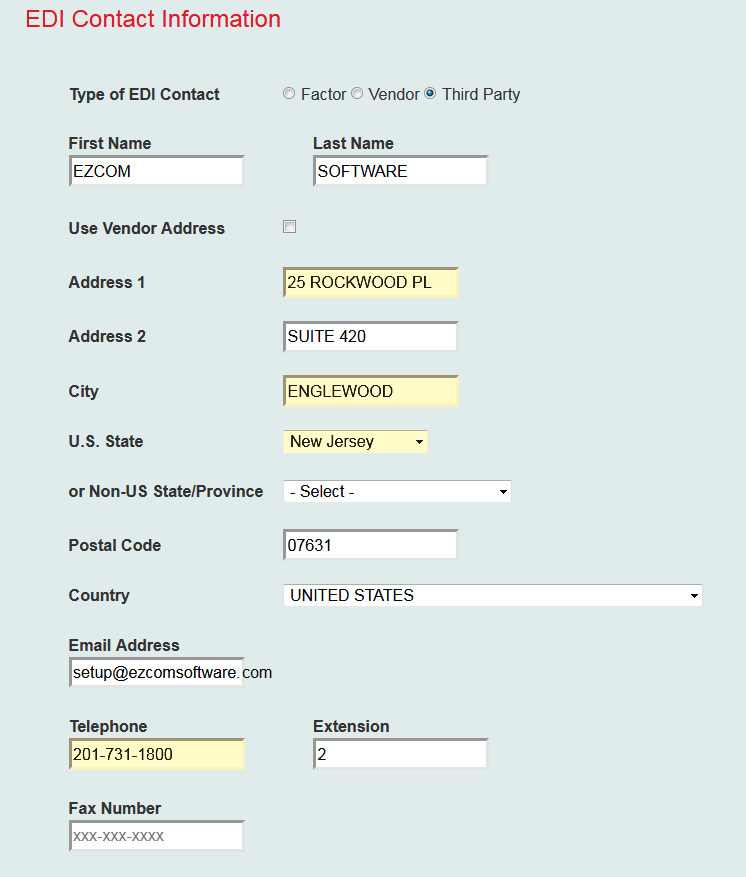
Step 6: Fill out the Following Sections with Your Company Information
Step 7: Fill out the EDI Translator Information Section